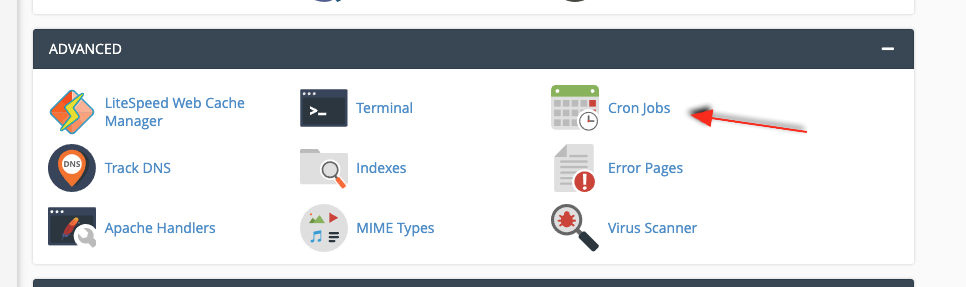
In cPanel, go to "Cron Jobs" in the advanced section:
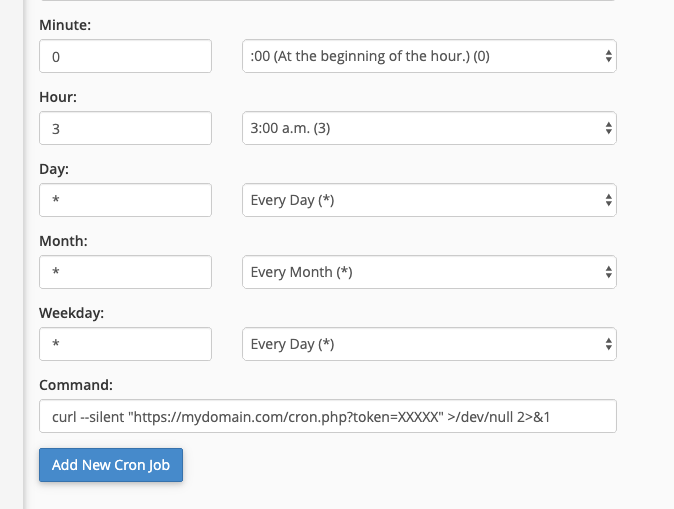
Under "Add New Cron Job", you can select a "Common Setting" on how often you want your cronjob to run, this can, for example, be once per day.
In your command you have to use either curl or wget to call the URL you want:
curl --silent "https://mydomain.com/cron.php?token=XXXXX" >/dev/null 2>&1
Or if using wget:
wget -O - "https://mydomain.com/cron.php?token=XXXXX" >/dev/null 2>&1
It's important to use double quotes if your URL contains a query string as seen above.
Your cronjob would end up looking something like this: